Developer’s Note - Flyff Universe v1.6 - Legend of the Abyss
November 20, 2026
Developer’s Note
Flyff Universe v1.6 - Legend of the Abyss
Hello Flyffers!
GM Shadow here again! Today, I’m excited to share what’s coming in Flyff Universe v1.6 – Legend of the Abyss.
We’ll release v1.6 – Legend of the Abyss in two parts, and today I’ll walk you through what’s coming in Part 1. Part 1 will mainly focus on quality-of-life improvements and updates to existing systems.
※ Please note that all visuals and details are subject to change prior to release. All screenshots shown in this article are taken from a development build and might not represent the final build.
Dungeon Team Search
With this update, you’ll be able to use the new Dungeon Team Search feature to find dungeon parties.
Until now, players have had to find parties through in-game shout chat or by coordinating outside the game.
You’ll now be able to look for a party for the dungeon you want to run directly in the game.
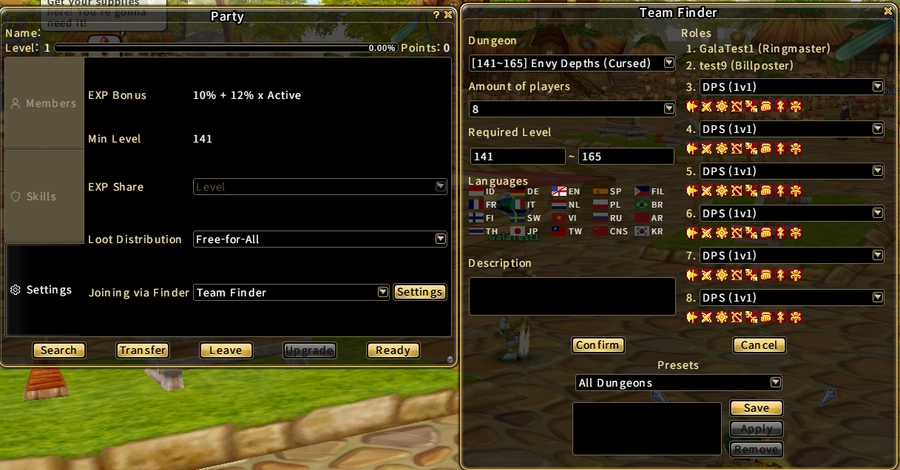
Preview of the new settings for the Dungeon Team Finder feature
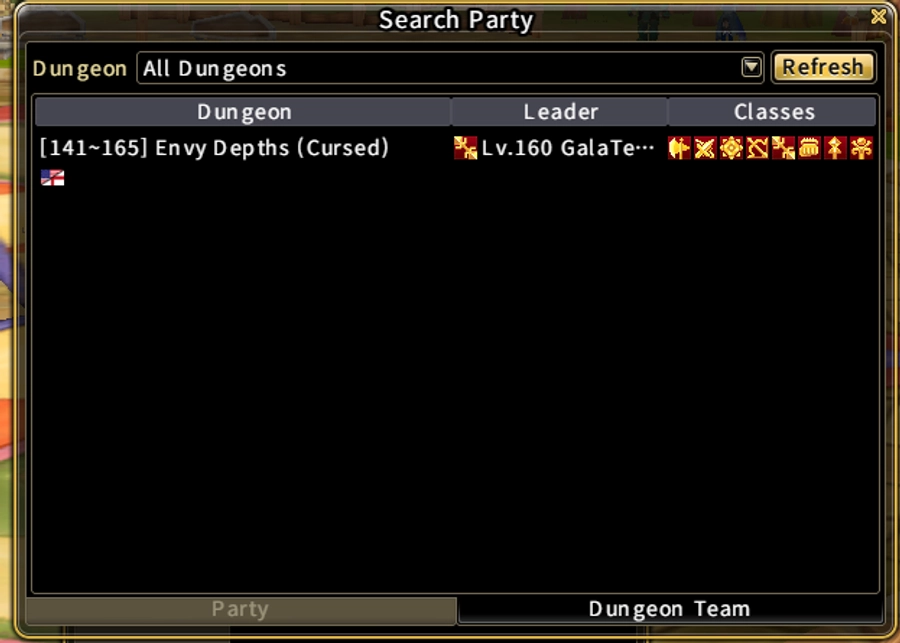
You can find what parties are looking for members in the new Dungeon Team tab
Dungeon Difficulty Expansion
Existing instance dungeons will receive new difficulty modes in this update, including dungeons such as Iblis, Clockworks, Red Meteonyker etc. These modes give players a new challenge in encounters they already know as well as more drops!
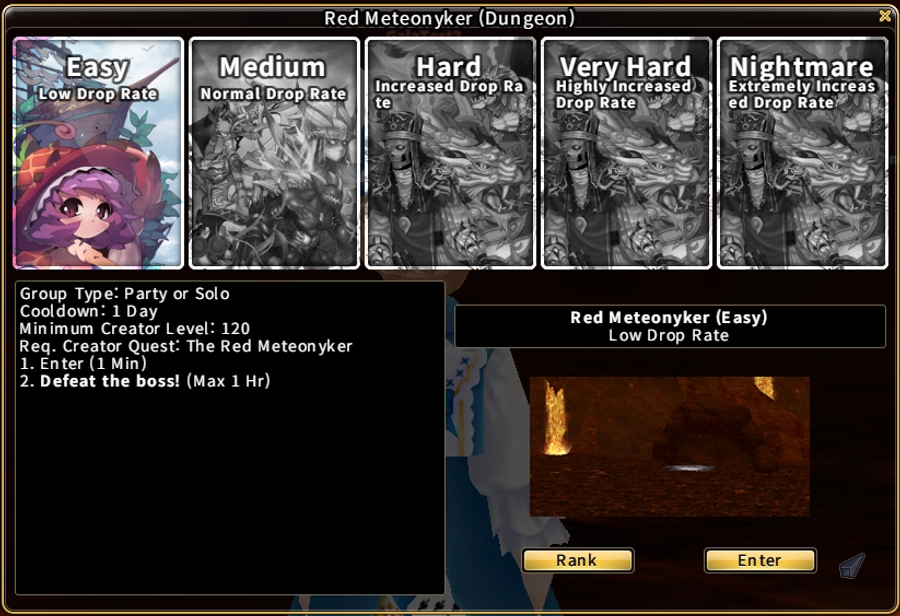
New difficulty for Red Meteonyker!
Content Guide
The new Content Guide window lets you see which activities are available to you and when they’re scheduled. We wanted to make it easier to check what’s coming up and plan your time in-game.
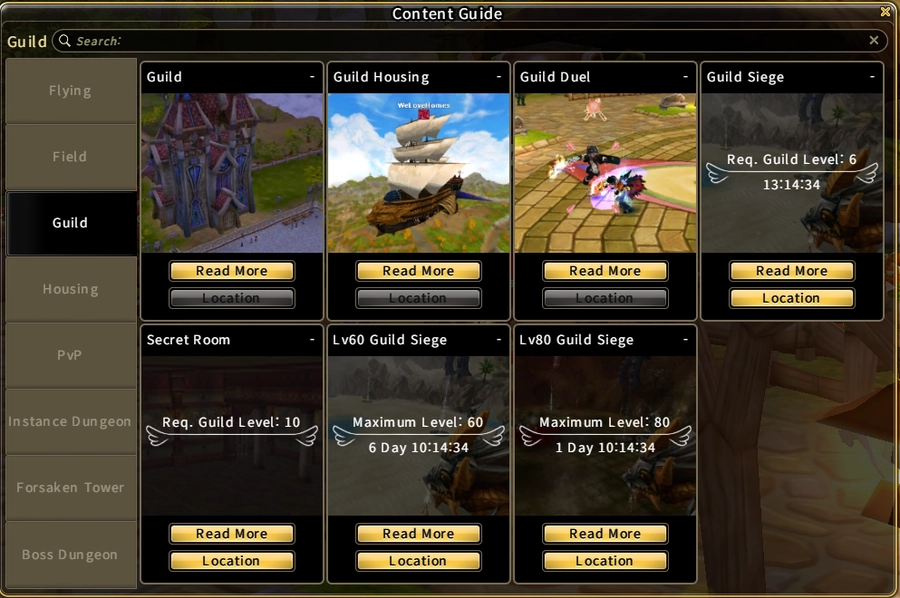
Content Guide example
Mail system updates
We’re also updating the in-game mail system.
You’ll be able to send multiple items to another player in a single message.
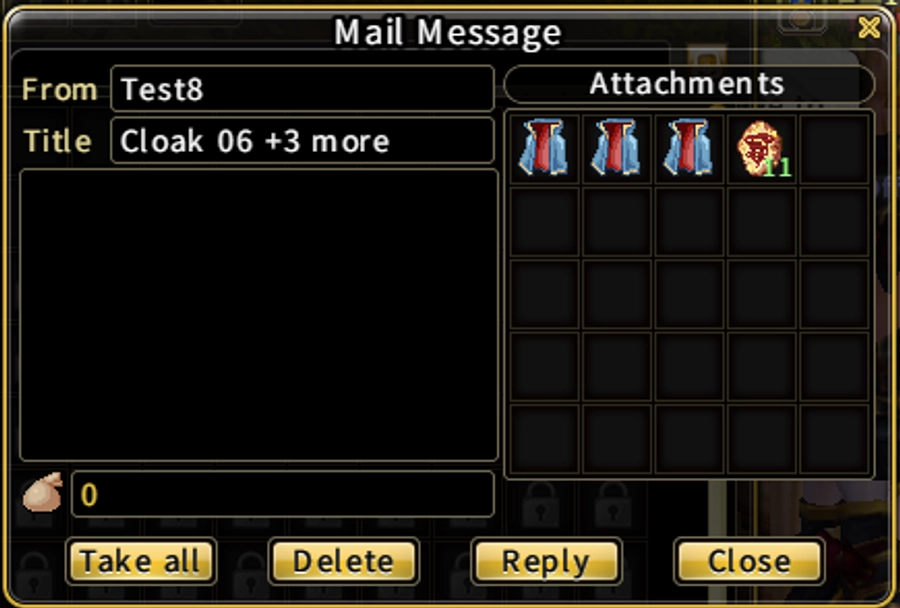
New mail system attachments
When you receive a message with attachments, you can click Take All to move them all into your inventory at once.
The fee per message will stay the same, regardless of how many items you attach.
Farm Tracker
You’ll be able to view your recent farming history in a small window.
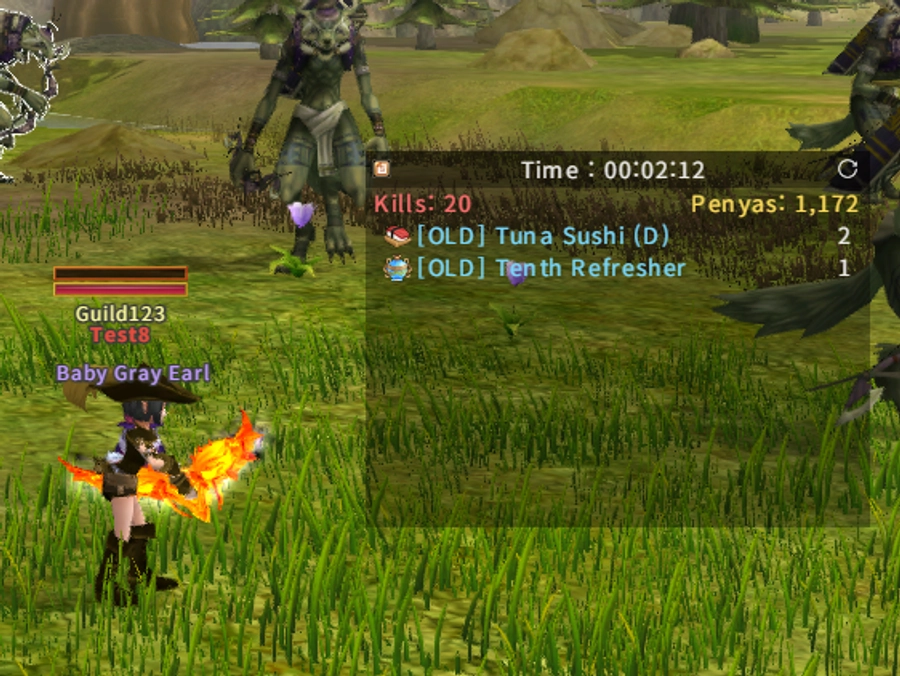
New farm tracker UI
The window appears after you defeat a monster. It shows the elapsed time, the number of monsters defeated, the Penya you’ve earned, and the items you’ve obtained.
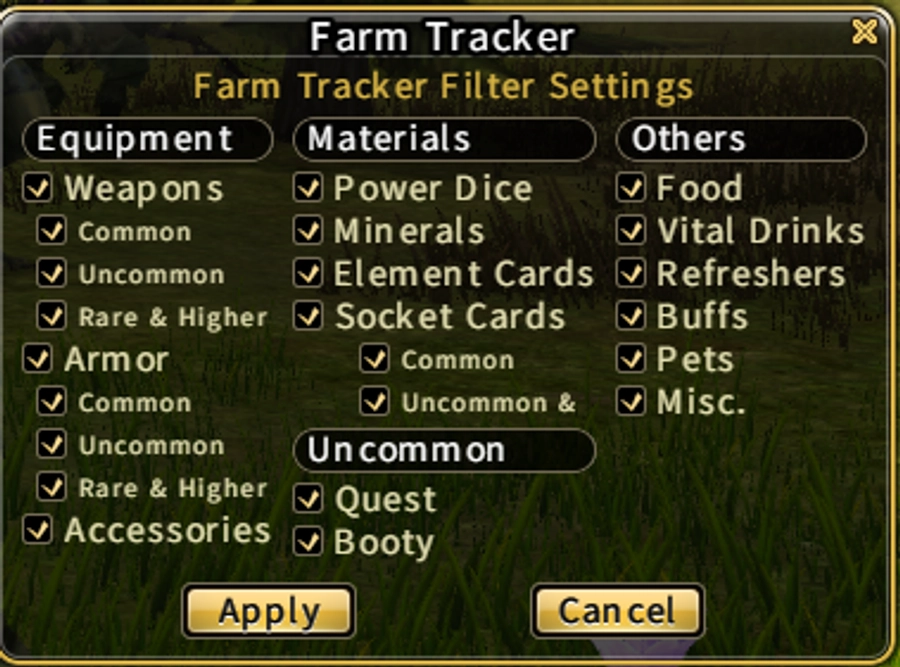
New farm tracker Filter UI
You’ll also be able to filter the item list to see what dropped from monsters and keep track of what you’ve picked up so far during your farming session.
If you prefer to farm without the tracker on screen, you can turn it off entirely in the Options menu.
Shop sales history
Sellers can now see what they have sold from their personal shop.
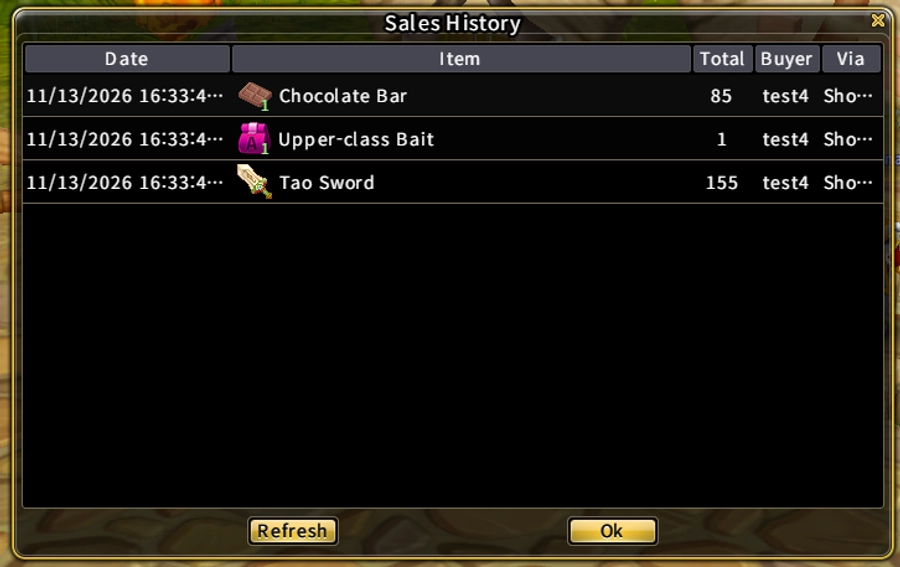
New Sales History window
After you sell an item, you can review the transaction in the Sales History window. The window shows the most recent sales first and displays the date, item, total price, buyer, and whether the sale was made through a Private Shop or Vendor.
Keep in mind that sales records are only available for a limited time.
Guild Siege stats
The game can now record per-player statistics during a guild siege and show them at the end.
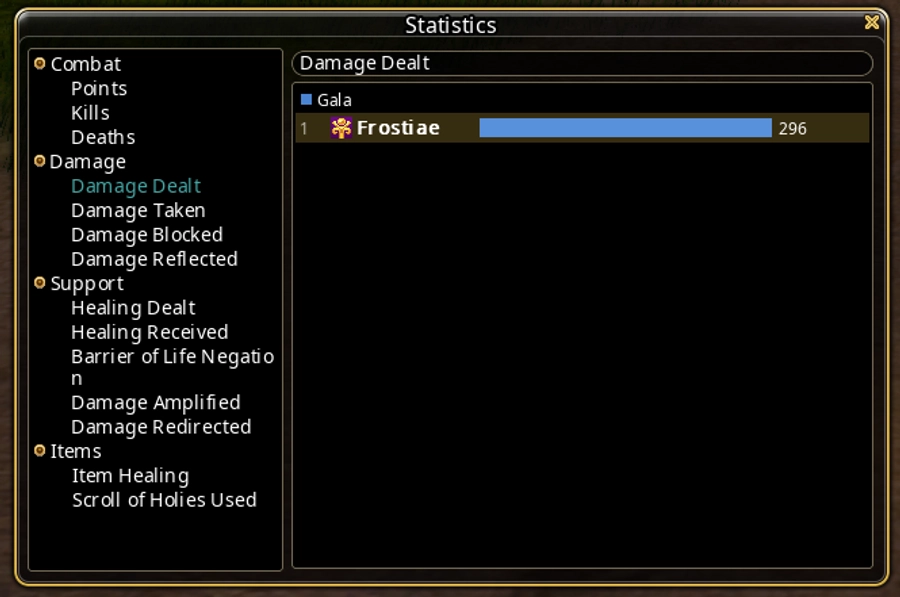
Preview of the stats window for Guild Siege
The game tracks statistics for all registered players from participating guilds, including those who join late. If you disconnect and rejoin, you’ll keep the statistics you recorded before disconnecting. At the end of the match, the results window opens on the new Statistics tab. These results are also saved in the database for later analysis.
The table below shows which statistics we track during each match. Over time, we may add more tracked stats based on your feedback.
|
Category |
Statistics |
|
Combat |
Points, Kills, Deaths |
|
Damage |
Damage dealt, Damage taken, Damage blocked, Damage reflected |
|
Support |
Healing dealt, Healing received, Barrier of Life negation, Damage amplified (Holy Cross / SwordCross), Damage redirected |
|
Items |
Item healing received, Scrolls of Holy used |
Blessing scrolls Auto-roll
We’re adding an Auto panel to the right side of the Goddess and Demon Blessing windows.
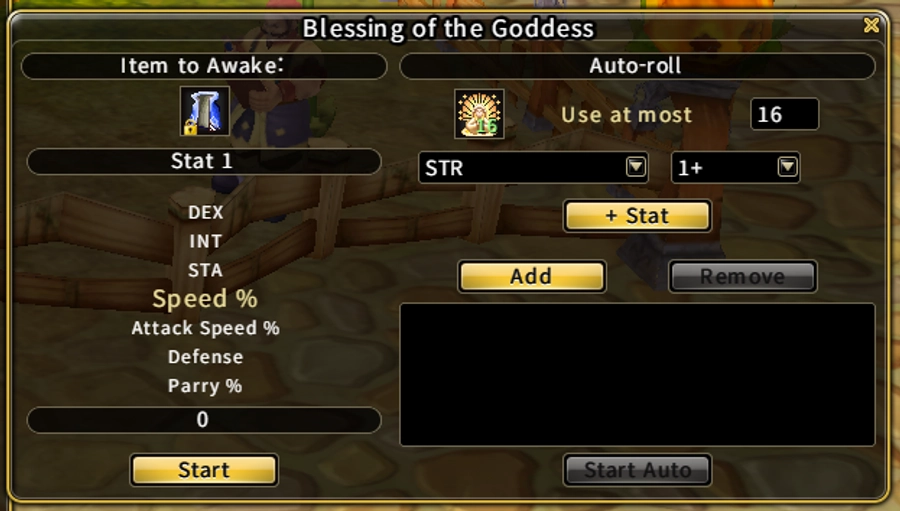
New Blessing scrolls’ UI
You can set a target combination and let the scroll reroll as long as you have enough scrolls.The target combination can be set with 1 stat with a minimum value and an option to have the 2nd stat settings as well. (Please note that if the 2nd option is set, this is an “and” condition, which means it will keep rolling until both conditions are met.) You can also set a hard cap on how many scrolls you would like to use.
Elemental stones rework
The elemental stones of attack and defense are no longer attached to a weapon or suit.
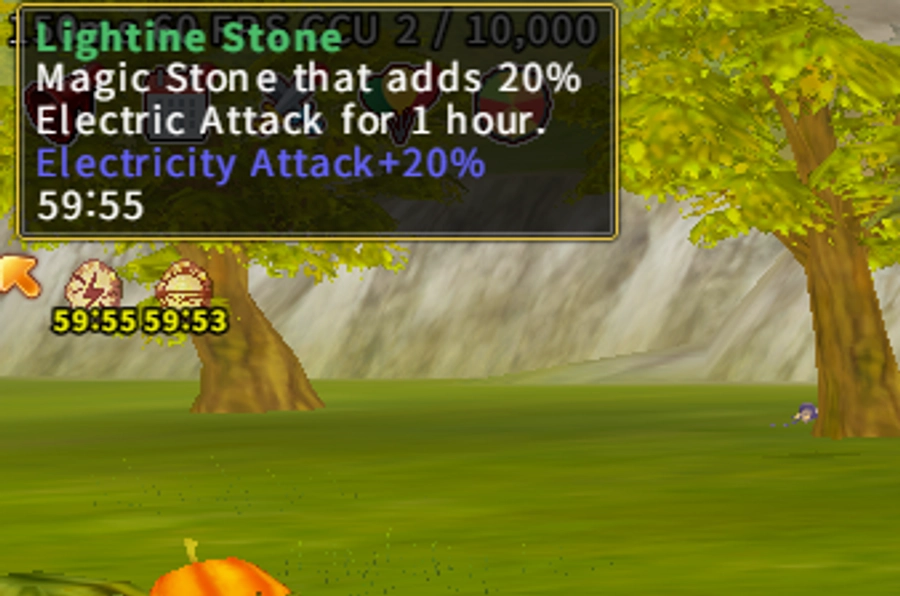
Elemental Stones Status
Now they will just give a simple timed elemental buff, regardless of whether you are equipping the weapon or armor of that elemental type.
Please note that in order to get the benefit of the buffs you would still need to do elemental upgrade for the weapon and/or armor.
That’s all we have to share today. We hope to share more details about the v1.6 Legend of the Abyss in the future!
Posted on November 20, 2026